Digital Artistry Unleashed: 5 Apps for Creating Stunning Visuals on Your Mobile in 2026
Digital Artistry Unleashed: 5 Apps for Creating Stunning Visuals on Your Mobile in 2026
The world of art is constantly evolving, and perhaps nowhere is this more evident than in the realm of digital creation. What once required expensive desktop software and specialized hardware can now be achieved with remarkable sophistication on the device most of us carry everywhere: our mobile phone or tablet. In 2026, mobile digital art has reached an unprecedented level of power and accessibility, transforming casual doodlers into serious artists and empowering professionals to create on the go. The convenience of a portable studio, combined with increasingly intuitive interfaces and advanced features, has made mobile digital art a force to be reckoned with.
Whether you’re a seasoned illustrator, an aspiring painter, or someone simply looking to explore their creative side, the right mobile digital art app can unlock a world of possibilities. The sheer volume of applications available can be overwhelming, making it difficult to discern which ones truly stand out. This comprehensive guide will cut through the noise, presenting the top 5 mobile digital art apps that are defining the creative landscape in 2026. We’ll delve into their unique features, discuss their strengths, and help you find the perfect tool to bring your artistic visions to life, all from the palm of your hand.
The shift towards mobile digital art isn’t just about convenience; it’s about democratizing creativity. With powerful processors, high-resolution screens, and pressure-sensitive styluses becoming standard on many devices, the gap between traditional desktop art and mobile art has significantly narrowed. This means that stunning visuals are no longer confined to the studio; they can be conceived and executed anywhere inspiration strikes – on a commute, during a coffee break, or while traveling the world. The flexibility offered by mobile digital art tools is unparalleled, allowing artists to maintain their creative flow without being tethered to a desk.
In this article, we will explore the cutting-edge of mobile digital art, highlighting applications that offer robust brush engines, extensive layer management, advanced color tools, and seamless integration with cloud services. We’ll examine how these apps cater to different artistic styles and needs, from intricate line art to expressive digital painting. Our focus will be on identifying the apps that provide the most comprehensive and satisfying experience for creating stunning visuals, ensuring that your mobile device becomes a true extension of your artistic intent. Get ready to discover the tools that will empower your mobile digital art journey in 2026.
The Evolution of Mobile Digital Art: A 2026 Perspective
Before diving into the specific apps, it’s essential to understand how far mobile digital art has come. Just a few years ago, mobile art creation was largely limited to basic sketching and simple photo edits. Today, thanks to advancements in mobile processor technology, display quality, and software optimization, we’re witnessing a golden age for mobile creative tools. Devices are more powerful, styluses are more precise, and app developers are pushing the boundaries of what’s possible on a small screen. This evolution has made mobile digital art a viable and often preferred option for many artists.
In 2026, the lines between desktop and mobile art applications are increasingly blurred. Many mobile apps now boast features previously exclusive to professional desktop software, such as advanced blending modes, customizable brush engines, vector graphics capabilities, and even 3D modeling integration. The emphasis is on providing a full-featured artistic experience without compromising on portability. This means artists no longer have to choose between power and convenience; they can have both. The accessibility of these tools has also fostered a new generation of digital artists who began their creative journey entirely on mobile devices.
Furthermore, cloud integration has become a cornerstone of the mobile digital art ecosystem. Artists can seamlessly save their work, synchronize projects across multiple devices, and collaborate with others in real-time. This interconnectedness enhances workflow and provides peace of mind, knowing that creative projects are secure and accessible from anywhere. The ability to quickly share work on social media platforms directly from the app also means artists can gain immediate feedback and expand their audience with unprecedented ease. This holistic approach to creation and sharing is what truly defines the mobile digital art landscape of 2026.
The rise of AI-powered features within these apps is another significant trend. From intelligent brush stabilization to AI-assisted color palettes and generative art tools, artificial intelligence is beginning to augment the creative process, offering new avenues for exploration and efficiency. While these tools are still developing, their potential to revolutionize how we create mobile digital art is immense. They can help overcome creative blocks, generate ideas, or even automate repetitive tasks, allowing artists to focus more on the conceptual and expressive aspects of their work. This integration of AI is making mobile digital art more powerful and intuitive than ever before.
The hardware itself has also played a crucial role. High refresh rate screens, improved battery life, and more responsive touch technology contribute to a smoother and more enjoyable drawing experience. Pressure-sensitive styluses, such as the Apple Pencil or Samsung S Pen, offer unparalleled control and nuance, mimicking the feel of traditional art tools. These hardware advancements, coupled with sophisticated software, create an environment where mobile digital art can truly flourish. It’s an exciting time to be a mobile artist, with new innovations continually enhancing the creative process.
1. Procreate Dreams (iOS) – The New Frontier for Animation and Illustration
While Procreate has long been the undisputed champion for digital painting and illustration on iPad, 2026 sees the full maturation and integration of its companion app, Procreate Dreams. This app extends Procreate’s celebrated brush engine and intuitive interface into the realm of animation, making it an incredibly powerful tool for artists looking to bring their illustrations to life. While primarily an animation tool, its robust drawing capabilities make it an excellent choice for complex illustrations with an eye towards motion graphics or narrative sequencing. For serious mobile digital art creators on iOS, Procreate Dreams is a game-changer.
Key Features and Why It Shines:
- Fluid Animation Workflow: Procreate Dreams offers a revolutionary new way to animate, combining traditional frame-by-frame animation with real-time performance recording. This allows artists to animate directly on the canvas with immediate feedback, making the process incredibly intuitive and fun.
- Unmatched Brush Engine: Inheriting Procreate’s industry-leading brush engine, Dreams provides thousands of customizable brushes for every imaginable texture and style. This means artists don’t have to compromise on their preferred drawing tools when transitioning from static illustration to animation.
- Powerful Compositing and Effects: Beyond animation, Dreams includes robust tools for compositing layers, adding visual effects, and even basic video editing. This makes it a comprehensive solution for creating short films, animated sequences, or dynamic illustrations directly on your iPad.
- Seamless Integration: Projects can be easily transferred between Procreate and Procreate Dreams, creating a cohesive ecosystem for artists who work across both mediums. This integration streamlines workflows and maximizes creative potential.
- Intuitive Multi-Touch Gestures: Procreate Dreams maintains the beloved multi-touch gestures that make Procreate so efficient, allowing for quick navigation, undo/redo, and layer manipulation without breaking your creative flow.
For those deeply invested in the Apple ecosystem and looking for the most professional-grade mobile digital art experience that extends into animation, Procreate Dreams is simply unparalleled. It represents the pinnacle of mobile artistic innovation and continues to set the standard for what’s possible on a tablet. The app’s ability to handle high-resolution canvases and complex projects without significant slowdown is a testament to its optimized engine and the power of modern iPad hardware. It’s an investment that pays dividends for any serious digital artist.
2. Adobe Fresco (iOS/Windows) – Bridging Traditional and Digital Painting
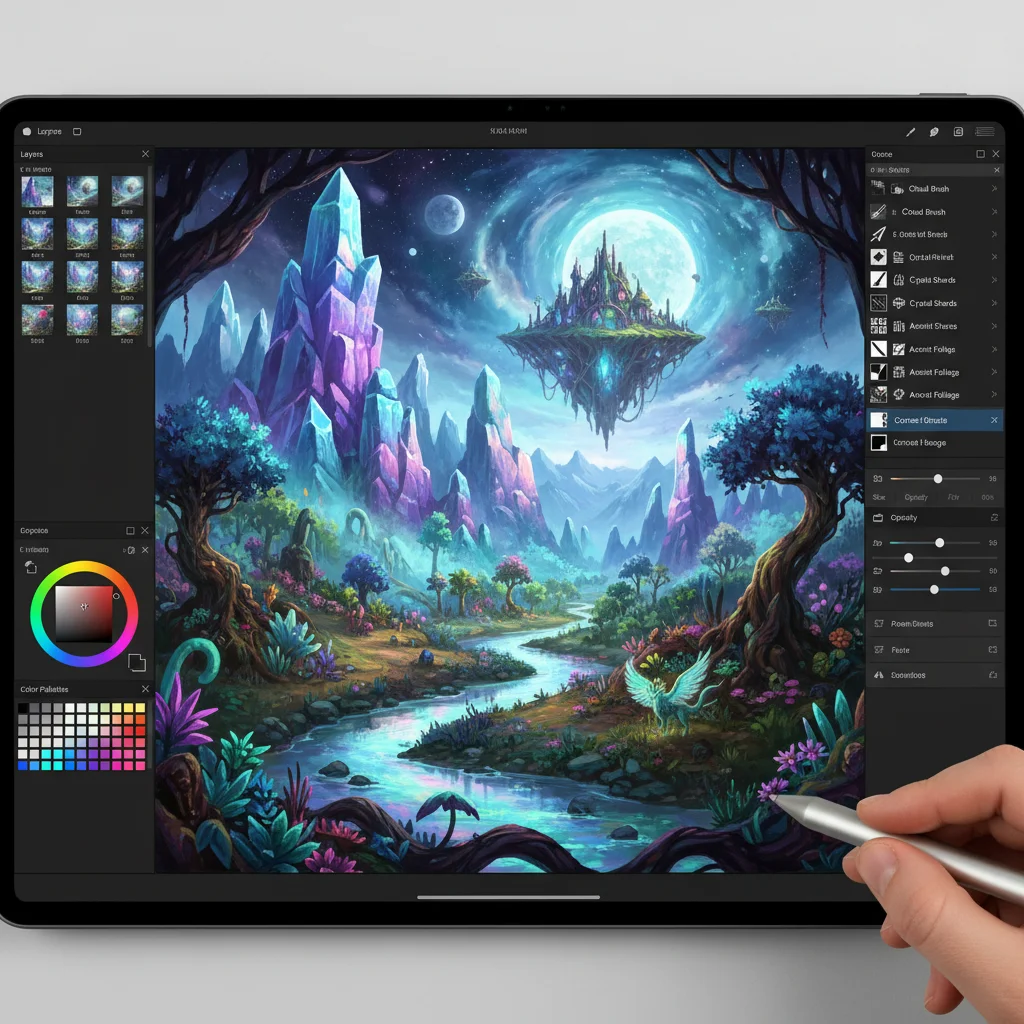
Adobe Fresco has solidified its position as a powerhouse for digital painting and drawing, especially for artists who crave the authentic feel of traditional media. In 2026, Fresco continues to impress with its advanced Live Brushes, which realistically mimic oil and watercolor paints, reacting and blending just like their physical counterparts. Available on both iOS (iPad) and Windows, Fresco offers a versatile platform for creating exquisite mobile digital art. Its integration with the Adobe Creative Cloud ecosystem also makes it a strong contender for professionals already using other Adobe products.
Key Features and Why It Shines:
- Live Brushes: This is Fresco’s signature feature. The Live Brushes for oil and watercolor are incredibly realistic, allowing colors to blend and flow naturally. This provides an organic painting experience unmatched by most other digital art apps.
- Vector and Raster Capabilities: Fresco uniquely combines both vector and raster brushes on the same canvas. This means artists can create crisp line art with vector brushes and then add rich textures and colors with raster brushes, offering unparalleled flexibility.
- Cloud Integration: As an Adobe product, Fresco seamlessly integrates with Adobe Creative Cloud. This allows for easy synchronization of projects with Photoshop and Illustrator, making it ideal for a professional workflow. Your artwork is always accessible across devices.
- Intuitive Interface: Despite its powerful features, Fresco maintains a clean and user-friendly interface that is easy to navigate, even for beginners. The tools are logically organized, allowing artists to focus on creation rather than searching for functions.
- Extensive Brush Library: In addition to Live Brushes, Fresco offers a vast collection of pixel brushes (from Photoshop) and vector brushes, catering to a wide range of artistic styles and preferences. Artists can also import custom brushes.
Adobe Fresco is particularly suited for artists who appreciate the tactile experience of traditional painting but want the advantages of digital tools. Its ability to combine vector and raster elements on one canvas also makes it incredibly versatile for various projects, from detailed illustrations to expressive paintings. The ongoing development and robust support from Adobe ensure that Fresco remains at the forefront of mobile digital art innovation, consistently adding new features and improving performance. For a truly professional and authentic painting experience on mobile, Fresco is a top choice.
3. Clip Studio Paint (iOS/Android/Windows) – The Manga & Comic Powerhouse
Clip Studio Paint has long been revered as the industry standard for manga, comic, and animation creation on desktop, and its mobile version in 2026 brings that same professional-grade power to your tablet and even smartphone. Available across iOS, Android, and Windows, Clip Studio Paint offers an incredibly comprehensive suite of tools for line art, coloring, and even 3D model referencing. For artists serious about sequential art or detailed illustrations on mobile, this app is an indispensable asset. Its rich feature set and cross-platform availability make it a standout in the mobile digital art space.
Key Features and Why It Shines:
- Superior Pen and Brush Engine: Clip Studio Paint is renowned for its natural-feeling pen and brush tools, offering exceptional line stabilization and pressure sensitivity. This is crucial for clean, expressive line art, a hallmark of comic and manga styles.
- Advanced Comic & Manga Tools: The app includes dedicated features for comic creation, such as panel layouts, speech bubble tools, perspective rulers, and screen tones. These tools significantly streamline the workflow for sequential artists.
- 3D Model Import and Manipulation: Artists can import and manipulate 3D models (including editable human figures) directly on the canvas to use as reference for poses and perspective, saving countless hours on complex compositions.
- Multi-Platform Availability: Unlike some competitors, Clip Studio Paint is available on iOS, Android, and Windows, making it accessible to a wider range of mobile users and allowing for seamless project transfer between devices.
- Extensive Customization: Virtually every aspect of Clip Studio Paint is customizable, from brush settings to workspace layouts, allowing artists to tailor the app precisely to their needs and preferences.
While its initial learning curve might be slightly steeper than more simplistic apps, the depth of features offered by Clip Studio Paint makes it incredibly rewarding for dedicated artists. Its robust capabilities for line art, coloring, and specialized comic tools make it the ultimate choice for anyone looking to create professional-quality sequential art or highly detailed illustrations on their mobile device. The subscription model ensures continuous updates and access to a vast asset store, further enhancing its value for mobile digital art enthusiasts.
4. Concepts (iOS/Android/Windows) – The Vector Sketchbook for Precision
For architects, product designers, illustrators, and anyone who demands precision and infinite scalability in their mobile digital art, Concepts stands out as a unique and powerful vector-based sketching and design app. In 2026, Concepts continues to evolve, offering an infinite canvas, flexible vector tools, and a focus on ideation and technical illustration. Available across iOS, Android, and Windows, Concepts provides a distinct alternative to raster-based painting apps, excelling in areas where precision and editability are paramount. It’s an essential tool for those whose creative process involves iterative design and technical accuracy.
Key Features and Why It Shines:
- Infinite Canvas: Concepts offers an unbounded canvas, allowing artists to explore ideas without spatial limitations. This is perfect for brainstorming, large-scale projects, or creating interconnected design elements.
- Vector-Based Drawing: Every stroke in Concepts is a vector, meaning it can be scaled, edited, and manipulated infinitely without losing resolution. This is ideal for logos, blueprints, technical drawings, and illustrations that need to be resized without pixelation.
- Precision Tools: The app includes a sophisticated array of precision tools, including various grids, snap-to-guides, shape recognition, and measurement functions. These are invaluable for accurate design and illustration work.
- Flexible Workflow: Concepts supports multiple layers, custom brushes, and a highly customizable interface. Artists can organize their work efficiently and tailor the environment to suit their specific design needs.
- Stylus Optimization: Designed with styluses in mind, Concepts offers excellent pressure sensitivity and tilt support, making vector drawing feel as natural as sketching with a pencil.
Concepts is not a traditional painting app; it’s a powerful and flexible vector sketchbook that caters to a different kind of mobile digital art. Its strength lies in its precision, scalability, and adaptability for design-oriented tasks. While it can be used for artistic expression, its true power comes to the forefront in technical illustration, product design, and architectural visualization. For professionals and students in these fields, Concepts offers an unparalleled mobile experience, making it a crucial tool for creating stunning and accurate visuals on the go.
5. Ibis Paint X (iOS/Android) – The Feature-Rich Free Option
For artists seeking a powerful and feature-rich mobile digital art app without the upfront cost, Ibis Paint X remains an incredibly strong contender in 2026. Available on both iOS and Android, Ibis Paint X boasts an astonishing array of tools that often rival paid applications. Its popularity stems from its accessibility, robust feature set, and a thriving community of users who share tutorials and artwork. It’s an excellent entry point for aspiring digital artists and a capable tool for experienced creators who want a versatile, free option.
Key Features and Why It Shines:
- Massive Brush Library: Ibis Paint X offers over 15,000 brushes, including pens, markers, airbrushes, and various artistic brushes. Many of these are free to use after watching a short ad, or permanently unlockable with a one-time purchase.
- Extensive Layer System: The app supports an impressive number of layers, complete with blending modes, alpha locking, and clipping masks, providing professional-grade control over compositions.
- Screen Recording and Time-Lapse: A standout feature is its ability to record your drawing process as a video, allowing artists to share their creative journey or review their techniques. This is fantastic for tutorials and social media content.
- Advanced Selection and Transform Tools: Ibis Paint X includes sophisticated selection tools (magic wand, lasso, etc.) and transformation options (perspective, mesh transform) that give artists precise control over their artwork.
- Material and Pattern Library: Users can access a wide range of materials, patterns, and comic fonts, further enhancing creative possibilities, particularly for manga and illustration styles.
While the free version of Ibis Paint X includes ads, a small one-time purchase removes them and unlocks all premium features, making it an incredibly affordable yet powerful package. Its comprehensive feature set makes it suitable for a wide range of mobile digital art styles, from detailed illustrations to vibrant paintings. For artists on a budget who don’t want to compromise on functionality, Ibis Paint X is an undeniable champion, proving that high-quality digital art creation is accessible to everyone in 2026, regardless of their financial investment.
Choosing the Right Mobile Digital Art App for You
With such a strong lineup of mobile digital art apps in 2026, deciding which one is best ultimately comes down to your individual needs, artistic style, and the type of projects you plan to tackle. Each app has its unique strengths, catering to different facets of the creative process. It’s important to consider your primary goals before committing to an app, especially if it involves a subscription or a significant one-time purchase. The beauty of the mobile digital art landscape is its diversity, ensuring there’s a perfect tool for every artist.
If your passion lies in fluid, natural-feeling digital painting and animation, and you’re an iOS user, Procreate Dreams offers an unparalleled experience. Its seamless integration with the original Procreate app creates a powerful ecosystem for both static and animated works. The intuitive animation tools combined with Procreate’s renowned brush engine make it a top-tier choice for those looking to bring movement to their art.
For artists who value the authentic feel of traditional media, particularly oils and watercolors, Adobe Fresco stands out. Its Live Brushes are truly revolutionary, providing a tactile painting experience on a digital canvas. Its hybrid vector/raster capabilities also make it incredibly versatile for mixed-media projects and professional workflows, especially for those already integrated into the Adobe Creative Cloud.
Clip Studio Paint is the undisputed king for comic artists, manga creators, and illustrators who require precise line work and specialized tools for sequential art. Its robust feature set, including 3D model referencing and dedicated comic panel tools, makes it a professional-grade solution for complex projects across multiple platforms.
If precision, scalability, and technical drawing are your priorities, Concepts offers a unique vector-based approach. Its infinite canvas and advanced snapping tools are ideal for designers, architects, and anyone who needs to create highly accurate and infinitely editable illustrations and blueprints on their mobile device.
Finally, for those seeking a powerful and comprehensive mobile digital art solution without a hefty price tag, Ibis Paint X is an exceptional choice. Its vast brush library, extensive layer management, and built-in screen recording features provide incredible value, making high-quality digital art accessible to everyone, regardless of budget.
Don’t be afraid to try out free versions or trials where available. Experimentation is key to finding the app that resonates most with your creative flow. Many of these apps offer robust free tiers or trials that allow you to get a feel for their interfaces and features before making a commitment. This hands-on experience is invaluable in determining which tool will best serve your artistic journey in the exciting world of mobile digital art.
The Future of Mobile Digital Art: Beyond 2026
As we look beyond 2026, the trajectory of mobile digital art is set to continue its rapid ascent. We can anticipate even more powerful mobile processors, allowing for higher resolution canvases, more complex brush physics, and real-time rendering of advanced effects. The integration of artificial intelligence will likely become even more sophisticated, offering predictive strokes, intelligent colorization, and even AI-assisted composition tools that act as creative partners rather than mere utilities. Imagine an app that can suggest ideal lighting for your scene or generate variations of your initial sketches with a single tap.
Augmented Reality (AR) and Virtual Reality (VR) are also poised to play a more significant role in mobile digital art. Artists might soon be able to sketch and sculpt in 3D space directly through their mobile devices, projecting their creations onto the real world or immersing themselves in virtual studios. This could open up entirely new dimensions for artistic expression and collaboration, allowing artists to interact with their art in ways previously unimaginable. The concept of a digital canvas could expand beyond a flat screen to encompass entire environments.
Furthermore, the convergence of mobile devices with other technologies, such as advanced haptic feedback and more specialized styluses, will likely enhance the tactile experience of digital art, making it feel even more like traditional media. Improved battery life and faster connectivity will also contribute to a smoother and more uninterrupted creative workflow, empowering artists to produce high-quality work from virtually anywhere on the planet. The emphasis will continue to be on removing barriers between the artist and their vision, making the creative process as intuitive and fluid as possible.
The community aspect of mobile digital art will also continue to flourish. With easier ways to share, collaborate, and learn from one another, the global network of mobile artists will grow, fostering innovation and pushing creative boundaries. Educational resources, tutorials, and challenges within these apps will become even more integrated, helping new artists develop their skills and experienced artists discover new techniques. The future of mobile digital art is not just about tools; it’s about building a vibrant, interconnected ecosystem where creativity knows no bounds.
In conclusion, 2026 marks a pivotal moment for mobile digital art, with a diverse range of powerful apps catering to every artistic need. From the animation prowess of Procreate Dreams to the traditional painting feel of Adobe Fresco, the comic creation capabilities of Clip Studio Paint, the precision of Concepts, and the accessibility of Ibis Paint X, there’s never been a better time to unleash your inner artist on your mobile device. The future promises even more exciting innovations, ensuring that mobile digital art will continue to be at the forefront of creative expression for years to come. So pick up your stylus, open an app, and start creating your next stunning visual masterpiece today!