Unlock Peak Efficiency: Top 5 Productivity Apps for Remote Work in 2026

The 5 Must-Have Productivity Apps for Remote Work in 2026: A Deep Dive into Features and Performance
The landscape of work has undergone a seismic shift, with remote work transitioning from a temporary solution to a permanent fixture for millions worldwide. As we navigate the complexities of 2026, the need for robust, intuitive, and highly integrated remote work productivity apps has never been more critical. The right tools can mean the difference between a chaotic workday and one filled with focused output and seamless collaboration. This article delves deep into the top 5 must-have productivity applications that are set to define remote work efficiency in the coming year, examining their features, performance, and how they can empower individuals and teams to achieve unprecedented levels of success, regardless of geographical barriers.
The digital tools available today are not just about performing tasks; they are about creating an ecosystem that fosters collaboration, minimizes distractions, and maximizes individual and collective potential. With the proliferation of applications, choosing the right ones can be overwhelming. Our meticulously curated list focuses on innovation, user experience, and measurable impact on productivity, ensuring that you are equipped with the best-in-class solutions for your remote work setup.
The Evolving Landscape of Remote Work: Why Apps are More Crucial Than Ever
Remote work is no longer an experiment; it’s a fundamental shift in how businesses operate. The initial scramble to adapt in the early 2020s has given way to a more strategic approach, with companies investing heavily in infrastructure and tools that support a distributed workforce. In 2026, the expectation is not just for remote teams to function, but to thrive and outperform their traditional counterparts. This ambitious goal is unattainable without a sophisticated suite of remote work productivity apps that address every facet of the workday.
The challenges of remote work are well-documented: maintaining team cohesion, ensuring effective communication, managing distractions, and fostering a sense of belonging. Each of these challenges can be mitigated, if not entirely overcome, by leveraging the right technological solutions. From project management platforms that provide crystal-clear visibility into tasks and deadlines, to communication tools that mimic the spontaneity of in-person interactions, and focus apps that carve out dedicated time for deep work, the ecosystem of productivity tools is constantly evolving to meet these demands.
Furthermore, the integration of Artificial Intelligence (AI) and Machine Learning (ML) into these applications is becoming increasingly prevalent. AI-powered assistants can automate mundane tasks, prioritize emails, suggest optimal meeting times, and even provide insights into individual and team productivity patterns. This intelligent automation frees up valuable human capital to focus on strategic thinking, creativity, and problem-solving – areas where human ingenuity remains irreplaceable. Understanding these shifts is key to appreciating the profound impact these apps have on the modern remote professional.
Criteria for Selection: What Makes a Top Productivity App in 2026?
Before we unveil our top 5, it’s essential to understand the rigorous criteria used for their selection. Not every app that promises productivity delivers on that promise, especially in the unique context of remote work. Our evaluation focuses on several critical factors that determine an app’s true value in 2026:
- Seamless Integration: In a world of interconnected workflows, an app’s ability to integrate with other popular tools (calendars, communication platforms, file storage) is paramount. A fragmented toolkit leads to context switching and reduced efficiency.
- User Experience (UX) and User Interface (UI): An app can have all the features in the world, but if it’s not intuitive and enjoyable to use, adoption will be low. Clean design, ease of navigation, and minimal learning curves are crucial.
- Robust Feature Set: Beyond the basics, we look for innovative features that genuinely enhance productivity, such as AI-driven insights, advanced automation, powerful collaboration tools, and comprehensive analytics.
- Scalability and Flexibility: Whether you’re a freelancer, a small startup, or a large enterprise, the app should be able to scale with your needs and adapt to different team structures and project complexities.
- Security and Privacy: With sensitive data often being handled remotely, top-tier security protocols and a strong commitment to user privacy are non-negotiable.
- Performance and Reliability: Lagging applications or frequent downtimes are productivity killers. We prioritize tools known for their speed, stability, and consistent performance.
- Cost-Effectiveness: While powerful tools often come with a price, we consider the value for money, looking for solutions that offer a strong return on investment through increased efficiency.
By adhering to these stringent criteria, we ensure that the recommended remote work productivity apps are not just trendy but genuinely transformative for the modern remote professional.
App 1: AuraFlow – The AI-Powered Workflow Orchestrator
Features and Innovation
AuraFlow stands out as a revolutionary platform designed to orchestrate your entire remote workflow, leveraging advanced AI to predict and optimize tasks. It’s not just a project management tool; it’s a proactive digital assistant that learns from your work patterns. Key features include:
- Predictive Task Prioritization: AuraFlow’s AI analyzes your calendar, deadlines, and dependencies to suggest the most impactful tasks to tackle next, ensuring you’re always working on what matters most.
- Automated Workflow Creation: Based on common project types, AuraFlow can intelligently generate project outlines, assign preliminary tasks, and set up communication channels, significantly reducing setup time.
- Smart Meeting Summaries and Action Items: Integrated with popular video conferencing tools, AuraFlow automatically transcribes meetings, identifies key discussion points, and extracts actionable items, assigning them to relevant team members with deadlines.
- Distraction Management & Focus Modes: It intelligently blocks non-essential notifications during deep work sessions and provides personalized focus music or ambient sounds.
- Resource Allocation Insights: For teams, AuraFlow provides real-time insights into team members’ bandwidth, preventing burnout and ensuring equitable workload distribution.
Performance and User Experience
AuraFlow boasts an exceptionally clean and intuitive interface, making complex workflow management feel effortless. Its AI operates seamlessly in the background, offering suggestions without being intrusive. Users consistently report a significant reduction in context switching and an increase in focused work time. The platform is built on a robust cloud infrastructure, ensuring rapid response times and high availability, even during peak usage. Its mobile app offers full functionality, allowing for productivity on the go.
Why it’s a Must-Have
For remote teams grappling with the challenge of maintaining synchronized efforts and optimizing individual output, AuraFlow is a game-changer. Its predictive capabilities move beyond reactive task management, allowing teams to anticipate bottlenecks and proactively address them. It’s the closest thing to having a personal productivity coach and an entire project management office rolled into one sophisticated application.
App 2: SyncSphere – The Unified Communication & Collaboration Hub
Features and Innovation
SyncSphere addresses the perennial challenge of fragmented communication in remote environments by providing a truly unified platform. It moves beyond simple chat and video calls, integrating a comprehensive suite of collaboration tools. Its standout features include:
- Dynamic Channel Management: Create channels for projects, departments, or even specific topics, with intelligent filtering and search capabilities that make finding information effortless.
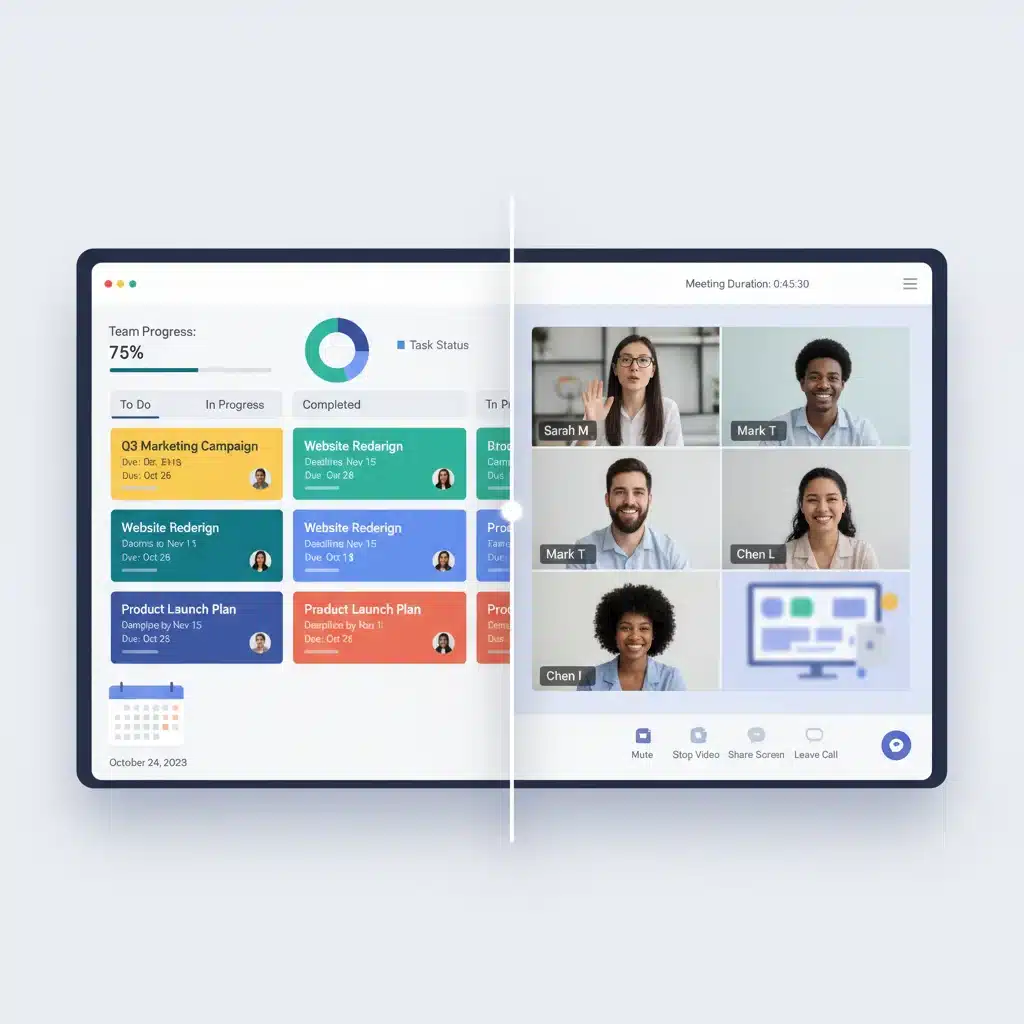
- Integrated Document Co-editing: Real-time collaborative editing for various document types (text, spreadsheets, presentations) directly within the platform, eliminating the need to switch to external applications.
- Persistent Video Rooms: Instead of scheduled calls, SyncSphere offers ‘always-on’ virtual rooms where team members can drop in and out for quick discussions, replicating the spontaneity of an office environment.
- AI-Powered Sentiment Analysis: For team leads, SyncSphere can provide anonymized sentiment analysis from team communications, helping identify potential morale issues or communication breakdowns before they escalate.
- Customizable Workflows & Bots: Automate routine tasks like daily stand-up reminders, file requests, or status updates using customizable bots and integrations.
Performance and User Experience
SyncSphere prioritizes real-time performance, ensuring crystal-clear audio and video quality, even with multiple participants. The interface is highly customizable, allowing users to tailor their dashboard to their specific needs and preferences. Its robust search functionality ensures that no piece of information gets lost, a common pain point in remote communication. The platform’s security features are top-notch, with end-to-end encryption for all communications and data.
Why it’s a Must-Have
Effective communication is the bedrock of successful remote work, and SyncSphere elevates this to an art form. By consolidating communication, collaboration, and even some light project management functionalities into a single, intuitive platform, it drastically reduces context switching and ensures that everyone is always on the same page. It’s an indispensable tool for maintaining team cohesion and fostering a strong collaborative spirit among distributed teams.
App 3: FocusForge – The Deep Work Enabler
Features and Innovation
In a world brimming with digital distractions, FocusForge emerges as the ultimate tool for cultivating deep work habits among remote professionals. It goes beyond simple timers to create an environment conducive to sustained concentration. Its key features include:
- Adaptive Noise Cancellation & Soundscapes: Integrates with your operating system to intelligently filter out distracting notifications and offers a curated library of AI-generated ambient soundscapes designed to enhance focus, adapting to your personal preferences over time.
- Dynamic Task Slicing: Based on your estimated task duration and energy levels, FocusForge can suggest optimal breaks and ‘slice’ larger tasks into manageable, focused blocks, preventing overwhelm.
- Digital Detox Zones: Allows users to create scheduled ‘detox zones’ where specific websites, apps, or even entire internet access is temporarily blocked, providing an enforced period of uninterrupted work.
- Focus Analytics & Insights: Provides detailed reports on your focus patterns, identifying peak productivity times, common distractions, and suggesting personalized strategies for improvement.
- Gamified Focus Challenges: Engage in friendly competition with colleagues or achieve personal milestones through gamified challenges that reward sustained focus, fostering a culture of deep work.
Performance and User Experience
FocusForge is designed to be unobtrusive yet powerful. Its interface is minimalist, ensuring it doesn’t become another source of distraction. The app runs efficiently in the background, consuming minimal system resources. Users praise its ability to genuinely help them enter and sustain deep work states, leading to higher quality output and reduced stress. The personalized recommendations for focus strategies are particularly well-received.
Why it’s a Must-Have
The biggest enemy of remote work productivity apps isn’t a lack of tools, but a lack of focus. FocusForge directly addresses this by creating a personalized, distraction-free environment. For any remote worker struggling with maintaining concentration amidst the demands of a digital world, this app is an absolute necessity. It empowers individuals to reclaim their attention and dedicate themselves to high-value tasks, ultimately driving significant personal and professional growth.
App 4: TaskMaster AI – Intelligent Task & Project Management
Features and Innovation
TaskMaster AI takes traditional task and project management to the next level with its intelligent automation and adaptive planning capabilities. It’s designed to provide clarity, accountability, and efficiency for projects of all sizes. Its innovative features include:
- AI-Driven Project Scoping: Based on historical data and user input, TaskMaster AI can help scope out new projects, estimating timelines, identifying potential risks, and suggesting resource allocation.
- Smart Dependency Tracking: Automatically identifies task dependencies and alerts team members when preceding tasks are delayed, allowing for proactive adjustments to project timelines.
- Automated Reminders & Follow-ups: Intelligent reminders for deadlines, overdue tasks, and follow-up actions, customized based on individual work habits and preferences.
- Cross-Project Visibility: For managers and team leads, TaskMaster AI offers a consolidated view of all ongoing projects, highlighting critical paths and potential bottlenecks across the entire portfolio.
- Integration with Communication & File Storage: Seamlessly links tasks to relevant conversations in SyncSphere and documents stored in cloud drives, centralizing all project-related information.
Performance and User Experience
TaskMaster AI strikes an excellent balance between powerful features and a user-friendly interface. Its dashboards are highly customizable, allowing users to visualize projects in various ways (Kanban, Gantt, list view). The AI suggestions are subtle yet highly impactful, guiding users without overwhelming them. The platform is highly responsive, ensuring that updates and task assignments are reflected in real-time across all team members. Its robust API also allows for extensive custom integrations, catering to specific organizational needs.
Why it’s a Must-Have
Effective project management is the backbone of successful remote operations. TaskMaster AI provides the necessary structure and intelligence to keep projects on track, ensuring that deadlines are met and resources are optimized. For remote teams that manage complex projects with multiple moving parts, this app is indispensable for maintaining clarity, accountability, and ultimately, successful project delivery. It significantly reduces the administrative burden associated with project oversight, allowing teams to focus on execution.
App 5: TimeFlow – The Automated Time & Activity Tracker
Features and Innovation
TimeFlow redefines time tracking by moving beyond manual entry, offering an automated and insightful approach to understanding how time is spent. It’s crucial for both individual productivity analysis and accurate client billing in remote settings. Its innovative features include:
- Intelligent Activity Detection: Automatically tracks time spent on applications, websites, and documents, categorizing activities and even suggesting project assignments based on patterns.
- Automated Project & Client Assignment: Learns from your habits and automatically assigns tracked time to relevant projects or clients, minimizing manual input.
- Detailed Productivity Reports: Provides comprehensive reports on time allocation, identifying areas of high and low productivity, and highlighting trends over time.
- Meeting Cost Calculator: Integrates with calendars to automatically calculate the cost of meetings based on attendees’ hourly rates, encouraging more efficient meeting practices.
- Burnout Prevention Alerts: Based on tracked work hours and activity patterns, TimeFlow can alert individuals and managers to potential signs of overwork, promoting better work-life balance.
- Seamless Integration with Invoicing: Automatically generates accurate timesheets that can be directly integrated with popular invoicing software, streamlining the billing process for freelancers and agencies.
Performance and User Experience
TimeFlow operates discreetly in the background, consuming minimal system resources. Its interface is clean and dashboard-oriented, making it easy to review time logs and access reports. The automation features are highly accurate, significantly reducing the burden of manual time entry. Users appreciate the objective insights into their work patterns, which often reveal surprising opportunities for optimization. The privacy controls are robust, allowing users to determine what activities are tracked and shared.
Why it’s a Must-Have
Time is a remote worker’s most valuable asset. TimeFlow provides unprecedented clarity into how that asset is utilized, enabling better decision-making about workflow, project allocation, and personal habits. For freelancers, consultants, and teams who bill by the hour or need precise insights into resource utilization, TimeFlow is not just a convenience; it’s an essential tool for profitability and efficiency. It helps bridge the gap between perceived effort and actual output, leading to a more strategic approach to work.
Integrating Your Remote Work Productivity Apps for Maximum Impact
While each of these remote work productivity apps offers significant standalone value, their true power is unlocked when they are integrated into a cohesive ecosystem. Imagine:
- AuraFlow identifying a critical task, which then automatically creates a corresponding task in TaskMaster AI.
- A project milestone in TaskMaster AI triggering a team discussion in a dedicated SyncSphere channel.
- TimeFlow automatically tracking the hours spent on tasks initiated in TaskMaster AI, providing accurate billing data and productivity insights.
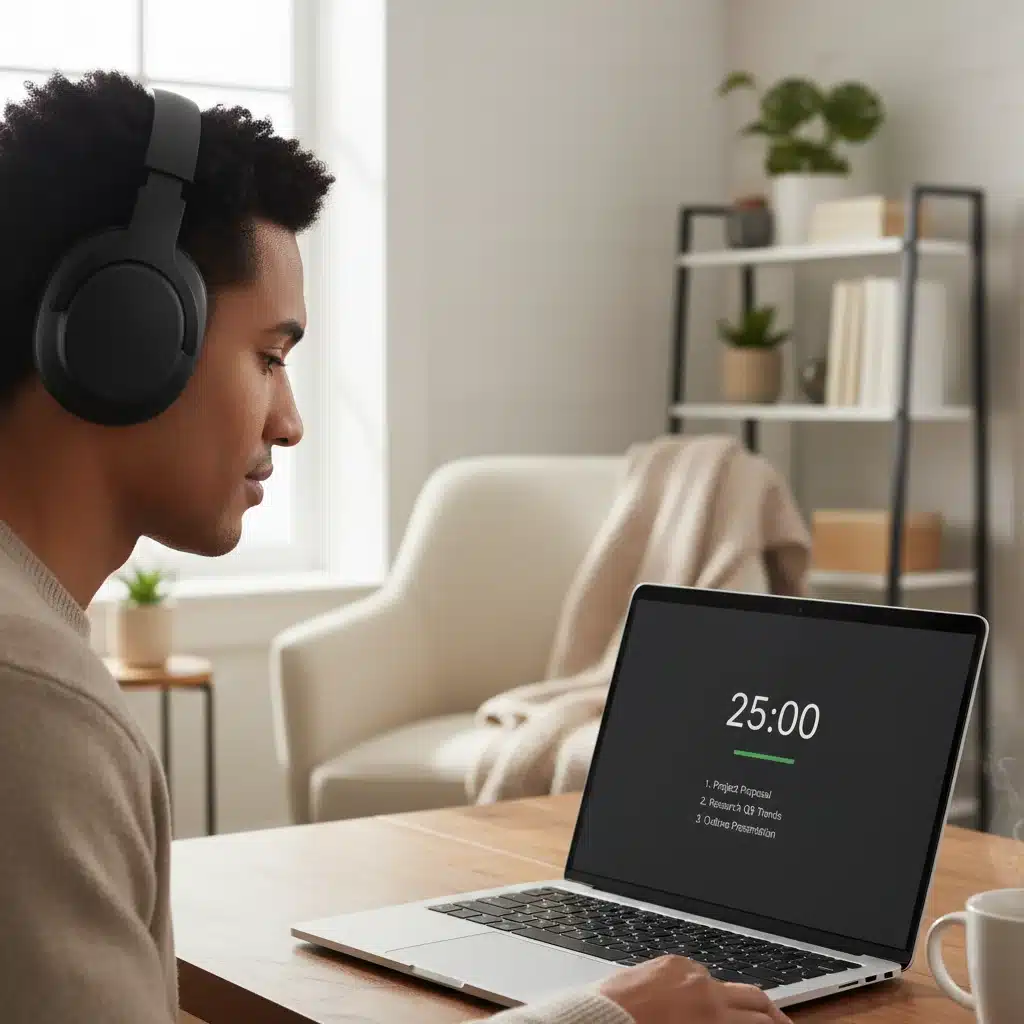
- FocusForge ensuring you have uninterrupted blocks of time to complete those critical tasks, while AuraFlow intelligently manages incoming notifications.
- Insights from TimeFlow informing AuraFlow’s predictive prioritization, helping it learn your most productive times.
This level of integration transforms a collection of tools into a powerful, intelligent, and self-optimizing remote work engine. Many of these apps offer robust APIs and native integrations, making it easier than ever to connect them. Investing time in setting up these integrations will yield exponential returns in efficiency and reduced administrative overhead.
The Future of Remote Work Productivity in 2026 and Beyond
As we look beyond 2026, the evolution of remote work productivity apps will undoubtedly continue at a rapid pace. We can anticipate even greater integration of AI, leading to more personalized and predictive assistance. Virtual and augmented reality might play a larger role in creating immersive collaborative spaces, bridging the physical distance even further. The emphasis will remain on creating tools that not only manage tasks but also enhance human well-being, prevent burnout, and foster a strong sense of community among distributed teams.
The goal is not to replace human decision-making but to augment it, empowering remote professionals to focus on their unique strengths – creativity, critical thinking, and empathy. The apps highlighted in this article represent the cutting edge of this evolution, offering a glimpse into a future where remote work is not just efficient but truly empowering.
Conclusion: Equipping Your Remote Arsenal for Success
The success of remote work in 2026 hinges on the strategic adoption of the right technological tools. The 5 must-have remote work productivity apps – AuraFlow, SyncSphere, FocusForge, TaskMaster AI, and TimeFlow – each bring unique and powerful capabilities to the table. From intelligent workflow orchestration and unified communication to deep work enablement, smart project management, and automated time tracking, this suite of applications covers the entire spectrum of remote work needs.
By carefully evaluating your team’s specific requirements and strategically integrating these tools, you can transform your remote operations from merely functional to highly efficient, collaborative, and ultimately, immensely successful. Embrace these innovations, and position yourself and your team at the forefront of the remote work revolution, ready to tackle the challenges and seize the opportunities of 2026 and beyond.