Ultimate US Travel Apps 2026: Navigation & Planning Review
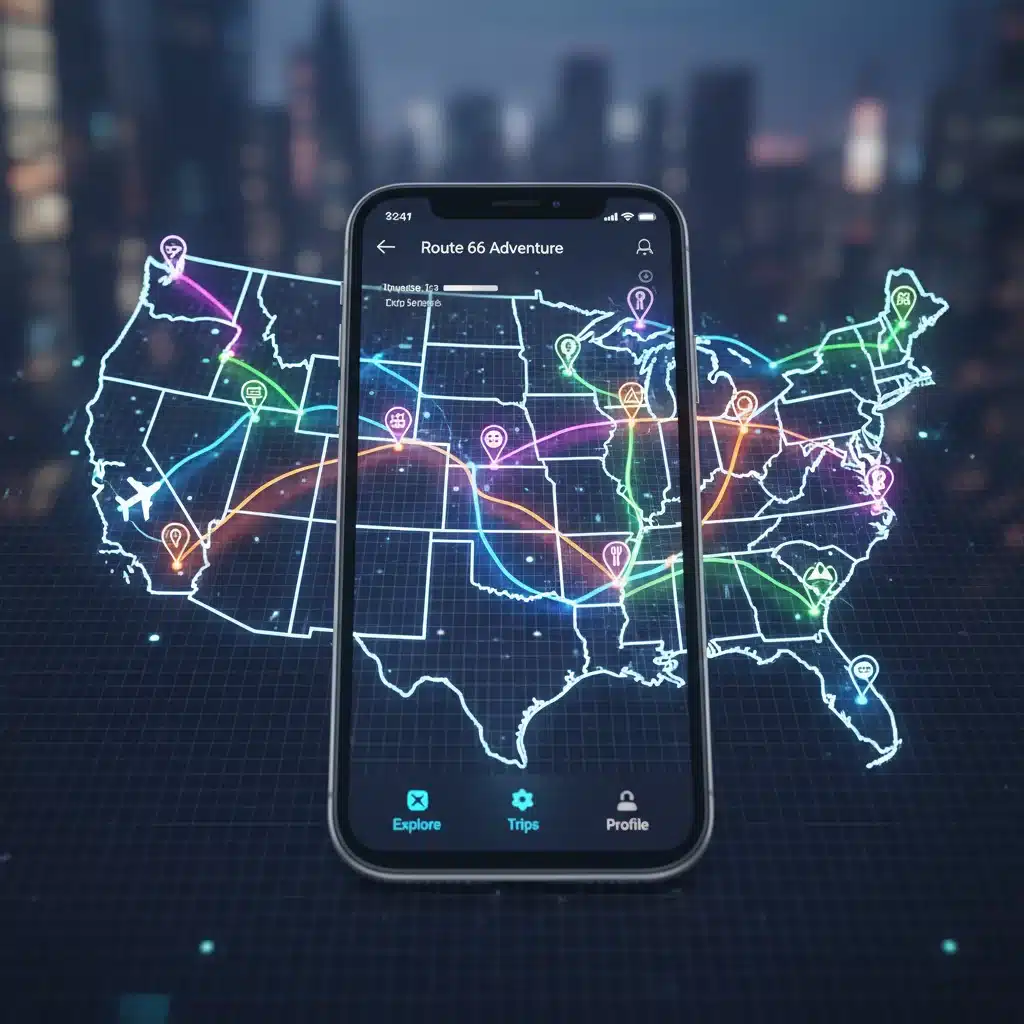
The Ultimate Travel Companion: A 2026 Review of 5 Navigation and Planning Apps for Your Next US Adventure
Planning a road trip or an extensive tour across the United States in 2026? The digital age has revolutionized how we explore, making our journeys smoother, safer, and infinitely more enjoyable. Gone are the days of fumbling with paper maps or relying solely on outdated guidebooks. Today, a plethora of cutting-edge applications stand ready to serve as your ultimate travel companion, offering everything from real-time navigation to meticulous itinerary planning. But with so many options available, how do you choose the best US Travel Apps for your specific needs?
This comprehensive review delves into the top 5 navigation and planning apps poised to dominate the US travel scene in 2026. We’ll examine their core functionalities, unique selling points, offline capabilities, user interfaces, and overall value, helping you make an informed decision before you hit the open road. Whether you’re a meticulous planner who thrives on detailed itineraries or a spontaneous adventurer who needs reliable, on-the-fly navigation, there’s an app out there for you. Let’s embark on this digital journey to discover your perfect travel partner.
The Evolving Landscape of US Travel Apps
The travel technology sector is constantly innovating, with apps becoming increasingly sophisticated. In 2026, we’re seeing a trend towards more personalized experiences, AI-driven recommendations, enhanced offline functionalities, and seamless integration across various devices. The best US Travel Apps are no longer just about getting from point A to point B; they’re about enriching the entire travel experience, from discovery and planning to execution and memory-making.
Key features that distinguish leading apps include:
- Real-time Traffic and Road Conditions: Essential for avoiding delays and ensuring a smooth journey.
- Offline Maps and Navigation: Crucial for areas with poor or no cellular service, common in many national parks and rural routes.
- Point of Interest (POI) Discovery: Helping you find everything from gas stations and restaurants to hidden gems and popular attractions.
- Trip Itinerary Building: Tools to organize your daily activities, accommodations, and bookings.
- Budget Tracking: Keeping an eye on your expenses to stay within your financial limits.
- Collaborative Planning: Allowing multiple travelers to contribute to the itinerary.
- Public Transportation Integration: Useful for urban exploration.
- Augmented Reality (AR) Features: For enhanced navigation and discovery.
Understanding these evolving features is key to selecting the most effective tools for your 2026 US adventure. Let’s dive into our top picks.
1. Google Maps: The Undisputed King of Navigation
It’s almost impossible to discuss navigation apps without starting with Google Maps. By 2026, it remains an indispensable tool for millions, continuously refining its features to stay ahead of the curve. Its sheer breadth of data and integration with other Google services make it a powerhouse for any traveler exploring the US.
Key Features & Benefits:
- Comprehensive Mapping: Provides detailed maps of virtually every road, street, and pathway in the US, including satellite imagery and Street View.
- Real-time Traffic: Unparalleled accuracy in real-time traffic updates, accident reports, and road closures, allowing for dynamic re-routing.
- Multi-modal Navigation: Offers directions for driving, walking, cycling, and public transit, complete with schedules and estimated travel times.
- Extensive POI Database: An incredibly rich database of businesses, attractions, restaurants, and services, complete with reviews, photos, operating hours, and contact information.
- Offline Maps: Users can download entire regions for offline navigation, a lifesaver in remote areas.
- Personalized Recommendations: Leverages your search history and location data (with consent) to suggest places you might like.
- Integration with Google Travel: Seamlessly connects with Google Flights and Hotels for a more integrated planning experience.
User Experience & Interface:
Google Maps boasts an intuitive and user-friendly interface. The search function is robust, and directions are clear and easy to follow, both visually and audibly. The ability to save favorite places, create custom lists, and share locations with others adds to its utility. By 2026, expect even more refined AI-driven suggestions and potentially enhanced AR features for pedestrian navigation.
Limitations:
While excellent for navigation, its trip planning capabilities, while improving, are not as robust as dedicated planning apps. It also requires a Google account for full functionality, which might be a concern for privacy-conscious users. Data consumption can be high if not utilizing offline maps.
2. Sygic GPS Navigation & Maps: The Offline Champion
For those venturing into the vast, often signal-less expanses of the US, Sygic GPS Navigation & Maps stands out as an exceptional choice. It’s built from the ground up with offline functionality in mind, making it one of the best US Travel Apps for reliable navigation without an internet connection.
Key Features & Benefits:
- Offline Maps: Uses high-quality TomTom maps stored directly on your device, ensuring navigation even in the most remote locations. This is its biggest strength.
- Voice-Guided Navigation: Clear, turn-by-turn voice instructions with spoken street names.
- Advanced Safety Features: Includes speed limit warnings, dynamic lane assistant, and real-time traffic information (requires internet, but core navigation works offline).
- Head-Up Display (HUD): Projects navigation onto your car’s windshield (premium feature), enhancing safety during night driving.
- Dashcam Feature: Records your journey, which can be useful for evidence in case of an incident.
- POI Database: Extensive database of offline POIs, including gas stations, restaurants, and tourist attractions.
User Experience & Interface:
Sygic’s interface is clean and functional, prioritizing navigation. While initially downloading all necessary maps can take time and storage, the peace of mind offered by reliable offline access is invaluable. It’s particularly popular with RVers and long-distance drivers who frequently traverse areas with spotty coverage.
Limitations:
Many advanced features, such as real-time traffic and HUD, are part of a premium subscription. The initial map download can be large, requiring significant device storage. Its planning capabilities are more focused on routing than comprehensive itinerary management.

3. TripIt: The Master of Itinerary Management
While the previous apps excel at navigation, TripIt shines as a dedicated trip planning and organization tool. For travelers juggling multiple bookings, flights, hotels, and activities, TripIt is an indispensable organizational assistant, making it a top contender among US Travel Apps for meticulous planners.
Key Features & Benefits:
- Automated Itinerary Creation: Forward your confirmation emails (flights, hotels, car rentals, restaurant reservations, event tickets) to TripIt, and it automatically creates a master itinerary.
- Centralized Information: All your travel details are stored in one place, accessible offline.
- Real-time Alerts (Premium): Provides real-time flight status alerts, gate changes, and security wait times.
- Navigation Integration: Seamlessly integrates with navigation apps like Google Maps to provide directions to your next destination within your itinerary.
- Sharing Capabilities: Easily share your itinerary with family, friends, or colleagues.
- Document Storage: Store important travel documents, such as passport photos or visa information.
User Experience & Interface:
TripIt’s strength lies in its simplicity and automation. The process of forwarding emails and watching your itinerary magically build itself is incredibly satisfying. The interface is clean, intuitive, and designed to present complex travel information in an easily digestible format. The premium version, TripIt Pro, offers even more advanced features for frequent travelers.
Limitations:
Its primary focus is on organization, not navigation. While it links to navigation apps, it doesn’t provide its own mapping. The most valuable features, like real-time alerts, are behind a paywall. It relies heavily on email forwarding, so manual entry is required for bookings not sent via email.
4. Roadtrippers: The Ultimate Road Trip Planner
For those embarking on a classic American road trip, Roadtrippers is specifically designed to make the journey as exciting as the destination. It’s an excellent choice among US Travel Apps for discovering unique stops and crafting epic routes.
Key Features & Benefits:
- Route Planning with Stops: Allows users to plan multi-stop road trips, adding up to 150 stops (premium) along their route.
- Discovery Engine: Highlights points of interest along your chosen route, including natural wonders, attractions, national parks, historical sites, hotels, restaurants, and quirky roadside attractions.
- Estimated Costs: Calculates estimated fuel costs for your trip.
- Pre-built Itineraries: Offers curated road trip guides and itineraries for inspiration.
- Offline Maps (Premium): Download maps for offline use, essential for long drives through remote areas.
- Collaborative Planning: Share and collaborate on trip plans with co-travelers.
User Experience & Interface:
Roadtrippers has a visually appealing and engaging interface that encourages exploration. The map-based planning is intuitive, allowing users to easily drag and drop stops and discover new places. It’s designed for the visual planner and the adventurer at heart, making the planning process itself part of the fun.
Limitations:
The free version has significant limitations on the number of stops you can add to a trip. Many of its best features, including offline maps and more extensive stop additions, require a premium subscription. While it helps plan routes, it relies on integration with other navigation apps for turn-by-turn directions.

5. AllTrails: For the Adventurous Explorer
While not a traditional navigation or planning app in the same vein as Google Maps or TripIt, AllTrails is an absolute must-have for anyone planning to incorporate hiking, biking, or outdoor activities into their US adventure. It’s a specialized tool that complements other US Travel Apps perfectly, especially for exploring national and state parks.
Key Features & Benefits:
- Extensive Trail Database: Features a massive collection of trails (over 400,000 worldwide, with a significant portion in the US) for hiking, biking, trail running, and more.
- Detailed Trail Information: Provides trail length, elevation gain, difficulty rating, user reviews, photos, and real-time conditions.
- Offline Maps (Pro): Download topographic maps for offline navigation, crucial for backcountry adventures where signal is nonexistent.
- GPS Tracking: Record your activities, track your progress, and share your routes.
- Search Filters: Filter trails by activity, difficulty, dog-friendliness, kid-friendliness, and specific features (waterfalls, views, etc.).
- Community Driven: Benefits from a large, active community that contributes reviews, photos, and new trail information.
User Experience & Interface:
AllTrails offers a clean and highly functional interface, making it easy to discover and navigate trails. The map view is excellent, showing trailheads, paths, and points of interest. The ability to read recent reviews and see photos from other users is invaluable for planning outdoor excursions.
Limitations:
Its scope is limited to outdoor activities; it’s not designed for general road navigation or comprehensive itinerary management. The most crucial features for safety in the backcountry, such as offline maps and wrong-turn alerts, are part of the AllTrails Pro subscription. It requires careful pre-planning to download maps before heading into remote areas.
Choosing Your Perfect US Travel Apps Combination
As you can see, each of these US Travel Apps brings something unique to the table. The ‘best’ app often depends on your travel style and specific needs. Here’s how you might combine them for an optimal experience in 2026:
For the All-Rounder Traveler:
- Google Maps: For daily navigation, real-time traffic, and finding nearby amenities.
- TripIt: To organize all your bookings and create a seamless itinerary.
- Roadtrippers: For planning the overall route of your road trip and discovering interesting stops.
For the Adventurous Road Tripper:
- Sygic GPS Navigation & Maps: As your primary offline navigation, especially when going off-grid.
- Roadtrippers: For discovering hidden gems and planning scenic routes with many stops.
- AllTrails: For finding and navigating trails in national parks and wilderness areas.
For the Urban Explorer:
- Google Maps: For walking, public transit, and finding the best restaurants and attractions.
- TripIt: To keep track of flight, hotel, and event bookings in bustling cities.
- A city-specific public transit app: (e.g., Citymapper in select cities) for enhanced public transport navigation.
Tips for Maximizing Your App Usage
Regardless of which US Travel Apps you choose, here are some universal tips to enhance your experience:
- Download Offline Maps: Always download maps for your entire route and destination areas, even if you plan to have service. It’s a crucial backup.
- Charge Your Devices: Navigation and planning apps can be battery-intensive. Carry a power bank or car charger.
- Utilize Premium Features Wisely: Evaluate if the premium features of an app justify the subscription cost for your specific travel style. A monthly subscription might be worth it for a big trip.
- Keep Apps Updated: Ensure your apps are always updated to the latest version for bug fixes, new features, and the most current map data.
- Read Reviews and Tips: Especially for outdoor apps like AllTrails, user reviews provide invaluable insights into current conditions.
- Backup Important Information: While apps are reliable, having physical copies or screenshots of critical bookings (hotel addresses, confirmation numbers) can save you in a pinch.
The Future of Travel Apps in the US
Looking ahead to 2026 and beyond, we can anticipate even more sophisticated integration of AI and machine learning into US Travel Apps. Imagine apps that not only suggest a route but dynamically adjust your entire itinerary based on real-time weather, traffic, and even your mood. Augmented reality will likely become more prevalent, offering immersive navigation and information overlays in urban environments and natural landscapes.
The focus will continue to be on seamless, personalized, and proactive assistance. Voice commands will become more natural, and integration with smart vehicles will deepen, allowing for an even more hands-free and intuitive travel experience. The goal is to make the technology disappear into the background, leaving you free to fully immerse yourself in the beauty and excitement of your US adventure.
Conclusion: Your Adventure Awaits
In 2026, the landscape of travel is more accessible and organized than ever, thanks to an array of powerful US Travel Apps. Whether you prioritize flawless navigation, meticulous planning, or adventurous exploration, there’s a digital tool (or a combination of them) perfectly suited to your journey.
Google Maps remains the universal go-to for general navigation. Sygic offers unparalleled offline reliability. TripIt is your organizational wizard for complex itineraries. Roadtrippers inspires and guides the perfect road trip. And AllTrails unlocks the wonders of the great outdoors. By carefully selecting and strategically using these applications, you can transform your next US adventure into an unforgettable, stress-free, and deeply enriching experience.
So, download your chosen apps, charge your devices, and get ready to explore the diverse and magnificent landscapes of the United States. Happy travels!